Driver setup
Install your free DisplayLink driver
The display driver your laptop needs to run your Xebec screens. Two minutes, then you're set.
You need this driver if
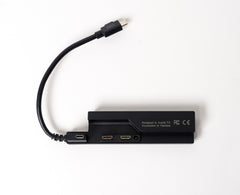
You're using the Tri-Screen 3 Adapter
Every Mac needs the Adapter, and some PCs do too. Not sure? Check if you need the Adapter →
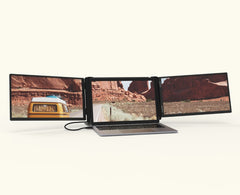
Your Xebec Snap says "No Signal"
Snap has no adapter, but "No Signal" almost always means this driver is missing.
Choose your Operating System
MAC OS
Opening synaptics.com in a new tab…
Screens should be live. Still black? Unplug the Adapter, wait a few seconds, and plug it back in.
WINDOWS
Opening synaptics.com in a new tab…
Screens should be live. Still black? Unplug and replug the USB cable, and check Windows Update.
Still seeing "No Signal" or stuck?
We'll get you sorted, no grind required.